
Have you ever noticed how some digital products make you smile while others just leave you frustrated? It turns out that taking a good look at your competitors can really open your eyes. In this guide, you'll find easy, practical steps to measure your product's ease of use, pricing, and features against what others are offering.
By mixing genuine user feedback with solid data, you can uncover those special sparks that lead to better experiences. It’s a bit like perfecting a recipe, finding just the right balance of ingredients to create something truly delightful. In the end, learning from your rivals might be the key to transforming your product and winning over customers.
Comprehensive Framework for Competitive Analysis User Experience

This guide walks you through a hands-on process to compare your digital product with the competition. It’s all about spotting the tactics that work and finding gaps in features, pricing, and overall ease of use. First off, figure out which competitors target the same audience and which ones solve similar problems in a different way.
In the early stages, gathering insights from both direct and indirect competitors lights the way to new ideas. You mix in both feedback (that’s qualitative, meaning real opinions) and hard numbers (quantitative data) to set solid benchmarks. Think of it like watching users interact with an app and noticing when one design leads to a 20% faster task completion rate, that’s the spark for improvement.
Here’s a quick overview:
| Step | What to Do |
|---|---|
| Competitor Selection | Pick rivals with similar goals or products. |
| Existing Audit | Review past research and current performance data. |
| SWOT Analysis | Note strengths, weaknesses, opportunities, and threats. |
| Direct Product Use | Test out competitors’ products to capture the true user experience. |
| Review Analysis | Look at user feedback from app stores and social channels. |
| Journey Mapping | Trace the user’s path from discovery to regular use. |
| Prototype Testing | Run structured tests to record performance details. |
When you blend these insights, the data turns into actionable design tweaks. For example, if tests uncover that users are stumbling at checkout, that’s your cue to rework the process for a smoother flow. By combining SWOT insights, hands-on testing, and user journey mapping, teams can refine empathy maps and update product roadmaps. This thoughtful yet flexible method not only makes users happier, it can also boost your overall business performance.
Metrics and Benchmarking Strategies in UX Competitor Analysis

When picking metrics for UX competitor analysis, it helps to mix numbers-based data with insights about how users feel. For example, you can look at task success rates, how long it takes to complete a task, how often errors pop up, SUS scores (a usability score from surveys), and even the mood in customer reviews. These numbers and opinions shine a light on gaps between your product and your competitors while tying in with goals like a smooth onboarding process for workflow apps or a solid Net Promoter Score (a measure of customer satisfaction) for subscription services.
| Metric | Description | Data Source | Benchmark Example |
|---|---|---|---|
| Task Success Rate | Percentage of tasks completed successfully | Usability tests | 85% success |
| Time-on-Task | Average time to complete a task | Interaction analytics | 45 seconds |
| Error Rate | How often errors occur | Session recordings | 5% issues |
| SUS Score | User satisfaction index | Surveys | Score of 78 |
It’s key to update these benchmarks every time a competitor changes their design. Automation tools can refresh your data for you, while regular usability tests or surveys make sure you catch new trends early. By keeping a close eye on these metrics, you’ll be ready to adjust your strategy and make design improvements that really stand out. Regular reviews and agile tweaks not only keep your product competitive, they also help boost user satisfaction.
User Journey Mapping for Competitive Experience Insights

Mapping a competitor's user journey gives you a behind-the-scenes look at what makes digital experiences pop. It starts from the very first click in discovery and goes all the way to loyal, returning users. Designers can spot where users hit bumps or enjoy smooth sailing. When you mix numbers from clickstream logs (basic records of clicks), heatmaps (color-coded activity maps), session recordings, and even feedback from app stores or social media, you get a real sense of user behavior. This method shows you not only where competitors are killing it but also where you have room to improve your design.
Here’s a simple way to get started:
- Identify touchpoints: Write down key stages like discovery, onboarding, core tasks, support, and retention.
- Gather data: Collect both hard numbers (clickstream logs) and user opinions (customer comments).
- Visualize the journey: Create a clear map that shows each step a user takes.
- Mark the highs and lows: Point out where users struggle or celebrate the smooth experience.
- Compare with rivals: Lay out competitor maps side-by-side to see where your product can do even better.
Focus on the parts with the biggest drop-offs or the loudest user feedback. These are the spots where smart design tweaks can really shine and make a big difference.
Competitive Analysis User Experience: Spark Brilliance

Heuristic Evaluation
When you roll up your sleeves for a heuristic evaluation, you're comparing a competitor's interface against trusted usability tips like Nielsen's top 10 guidelines. Start by choosing a reliable framework and set up evaluators to check for clear navigation and easy use. They’ll look for oddities, rate the problems by how bad they seem, and write down everything in detail. For example, an evaluator might notice a confusing button that slows down process flow because the call-to-action isn’t clear.
Usability Testing
Bring in a group of people who closely match the real users of the competitor's product. Lay out a list of simple tasks they need to try, and hold both guided sessions and independent ones. As they work, collect key numbers like how long each task takes, how many errors happen, and the success rate. But it’s not just about the numbers, watch for little moments of hesitation or frustration too. In fact, during a checkout test, you might see several users slowing down at the final confirmation step.
Generative Research
Round out your analysis with some generative research. This means mixing in surveys and one-on-one interviews to capture wider opinions and uncover needs that testing alone might miss. Ask open questions like "Which part of the experience felt off?" to spark deeper insights. These chats help bring hidden issues to light and pave the way for actionable improvements, tying clearly measured performance to real user feelings.
Data-Driven Dashboards for UX Rival Research
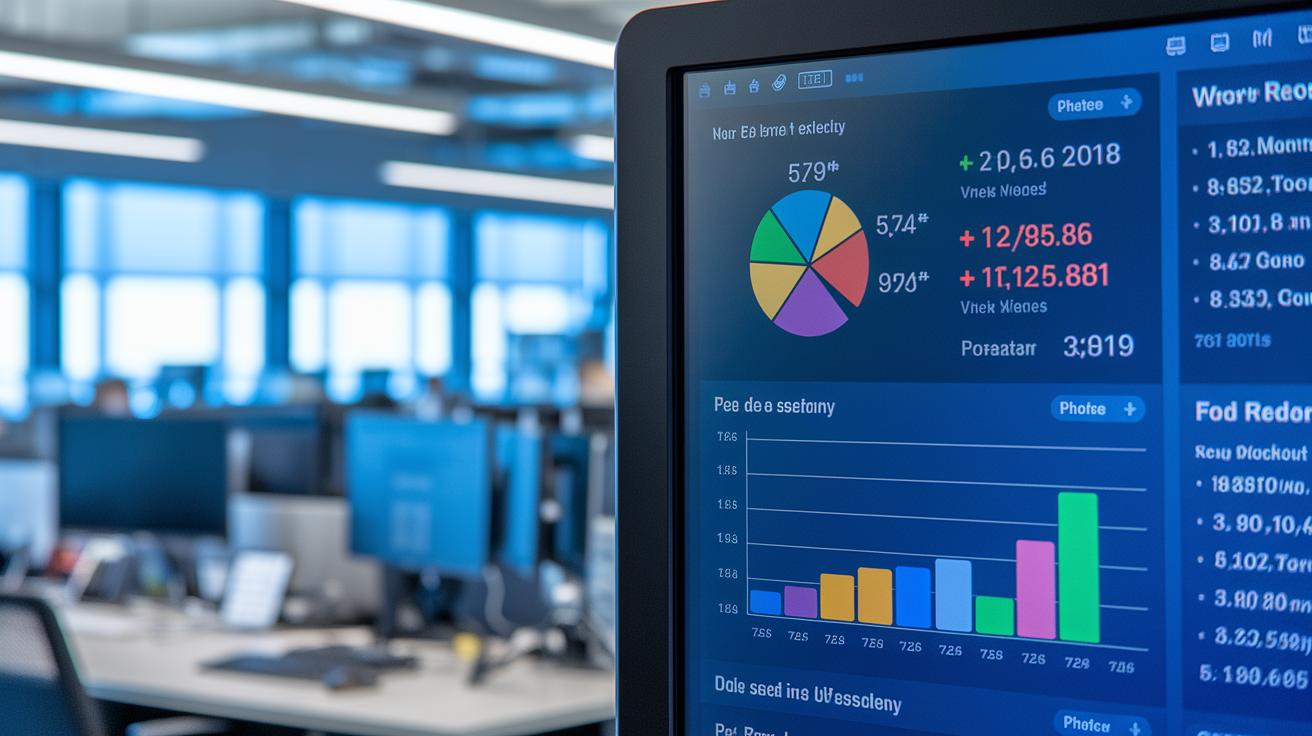
Tracking your competitors’ user experience just got a whole lot simpler. Dashboards pull together all the important UX metrics into one vibrant, easy-to-read view. Imagine having task success rates, SUS scores (that’s a survey-based user satisfaction measure), customer sentiment, and feature usage data all updating live. It’s as if you’re peeking over your rival’s shoulder to see what’s working, and what isn’t.
I recall a case when a dashboard detected a 15% drop in task success. That little red flag led to a quick design tweak and, boom, user satisfaction shot up. It goes to show the real power of having clear, actionable data at your fingertips.
Here’s a quick rundown of the key elements you might see on your dashboard:
| Metric | Description |
|---|---|
| Success Rate Graph | Displays the percentage of tasks completed successfully by each competitor. |
| Error Heatmap | Shows which parts of the interface cause the most user errors. |
| NPS Trend | Tracks changes in the Net Promoter Score (an overall satisfaction measure). |
| Review Sentiment Wheel | Visualizes the emotions users are sharing online. |
| Onboarding Funnel | Maps out the steps new users take and spots where they lose interest. |
| Feature Usage Table | Lists how often key features are used by customers. |
Keep things fresh by letting your dashboard update automatically. By linking real-time feeds from usability tests and user analytics tools, you ensure that your insights are always current. This real-time stream of data lets you spot shifts right away and seize opportunities to tweak your strategy, keeping you a step ahead in the competitive digital marketplace.
Case Study: Benchmark Guide for Digital Experience in UX Competition

We recently took a close look at a mobile app study revealing how competitors differ in real life. Competitor A hit an 85% task success rate with smooth, hassle-free interactions. On the other hand, Competitor B struggled at 70% task success and showed more frequent errors. In fact, errors were only 5% for Competitor A versus 12% for Competitor B, while the System Usability Scale (SUS, a quick measure of user satisfaction) was 78 for A and 65 for B. These figures clearly point to key improvement areas, like making the onboarding process smoother and ensuring labels are clear enough to guide users better.
The study didn’t just offer raw numbers, it also set up a framework that shaped the feature roadmap for future enhancements.
| Competitor | Task Success | Error Rate | SUS Score |
|---|---|---|---|
| Competitor A | 85% | 5% | 78 |
| Competitor B | 70% | 12% | 65 |
| Benchmark Target | 80% | 7% | 72 |
- Focus on refining the onboarding process.
- Clear up labeling for better user guidance.
- Turn these insights into a strategic feature roadmap.
Integrating Competitive UX Findings into Design Thinking Workflows

Blend competitive UX insights with your design process by mixing solid data and real user feedback at every step. Think of it like updating your playbook with clear hints from how others are succeeding – from smooth interaction patterns to common pain points. This approach helps you tweak your empathy maps and shape your personas with authenticity. In essence, you’re borrowing proven ideas and meshing them into your own creative sprints so your designs stand out every time.
Here’s how to make it work:
- Empathy: Refresh your personas with insights from both competitors and real user behaviors.
- Define: Craft clear problem statements that capture the gaps you’ve spotted in rival products.
- Ideate: Sketch out solutions that weave in best practices from competitor research.
- Test: Run A/B tests inspired by competitive strategies to verify if your ideas boost user satisfaction.
Working together makes all the difference. Designers, product managers, and developers should team up closely and iterate rapidly. This steady cycle of learning from market trends and user data not only enriches your design thinking but also keeps every update or new feature aligned with what the market really needs.
Advanced Tools and Techniques for Competitive UX Analysis

These days, breaking down a competitor’s user experience isn’t about old-school methods. Teams are now mixing quick-build prototypes with live feedback to dig deep into what users really want. It’s like having a toolbox that keeps pace with the fast-changing digital scene and turns insights into fast, measurable wins.
Think of these techniques as your go-to strategies for creating a user experience that evolves just as quickly as the market around it. For example, diary studies let you track user habits over time and understand long-term challenges. And when it comes to concept testing, you can quickly see what clicks with users by gathering on-the-spot reactions.
Then there’s continuous discovery where you set up ongoing research sessions to catch every little change in market conditions. Card sorting helps you see how users organize ideas, revealing the mental models behind their choices. And code-based prototyping lets you build and test interactive models that mimic what competitors are doing, so you get hands-on with what works (and what doesn’t).
Choosing the right mix of tools depends on the experience and resources of your team. For those just starting, diving into concept testing and card sorting can set a solid foundation. More experienced teams might find greater success by adding diary studies and continuous discovery to their research routine for ever-evolving strategies.
Final Words
In the action, we've seen how a smart competitive analysis user experience framework can redefine design strategies. The discussion touched on steps from competitor selection and direct product use to heuristic evaluations, user journey mapping, and real-world case studies. These practical insights bring together data from dashboards, testing, and design thinking workflows. They pave the way for clear, actionable recommendations that strengthen your market stance. The process promises a positive boost to strategic decision-making and fresh ideas for moving forward.
FAQ
What is competitive analysis in UX?
Competitive analysis in UX means assessing the user experience strategies of rival products. It involves comparing features, user interactions, and performance through methods like SWOT analysis, usability testing, and journey mapping.
What are competitive analysis user experience examples?
Competitive analysis user experience examples showcase real case studies that compare usability scores, navigation ease, and interaction design. They highlight actionable insights to improve your product’s interface and overall user satisfaction.
What does a competitive analysis UX case study show?
A UX case study demonstrates how evaluating competitors’ interfaces and design decisions can identify best practices and gaps. It presents concrete data points such as task success rates and error frequencies to inform design updates.
What is a UX competitive analysis template?
A UX competitive analysis template is a structured tool that organizes data from usability tests, SWOT analysis, and journey mapping. It helps you quickly compare key design elements and performance metrics across competitors.
How does a UX competitive analysis template work in Figma?
A UX analysis template in Figma uses design components to visually display competitor data. It streamlines the process for reviewing user flows, layout details, and performance figures, making collaboration smoother.
What does a competitive analysis table for UX include?
A competitive analysis table for UX typically includes competitors and corresponding metrics like task success rates, error counts, and key design features. It offers a concise, side-by-side comparison of performance indicators.
How is competitive analysis applied in design?
Competitive analysis in design involves reviewing rival interfaces to spot effective user interactions and potential weak spots. This process helps teams adjust their design strategies and refine user journeys accordingly.
What is UX SWOT analysis?
UX SWOT analysis examines a product’s strengths, weaknesses, opportunities, and threats related to user experience. This approach guides decision-making by highlighting areas for improvement and growth in design practices.