
Are your campaigns really hitting the mark? In today’s buzzing marketplace, pmax campaigns give you real-time insights that help guide your ad moves. You can easily spot how your ads are doing by checking key metrics like conversion rate (the percent of visitors who take action), CPA (cost per acquisition, which tells you how much each conversion costs), and ROAS (return on ad spend, showing you the revenue every dollar brings in).
This kind of hands-on review shows that when you tweak things smartly, pmax campaigns can drive real, measurable results. Each ad effort becomes a clear win, turning your strategy into proven success.
Essential Metrics for PMax Campaign Performance Analysis
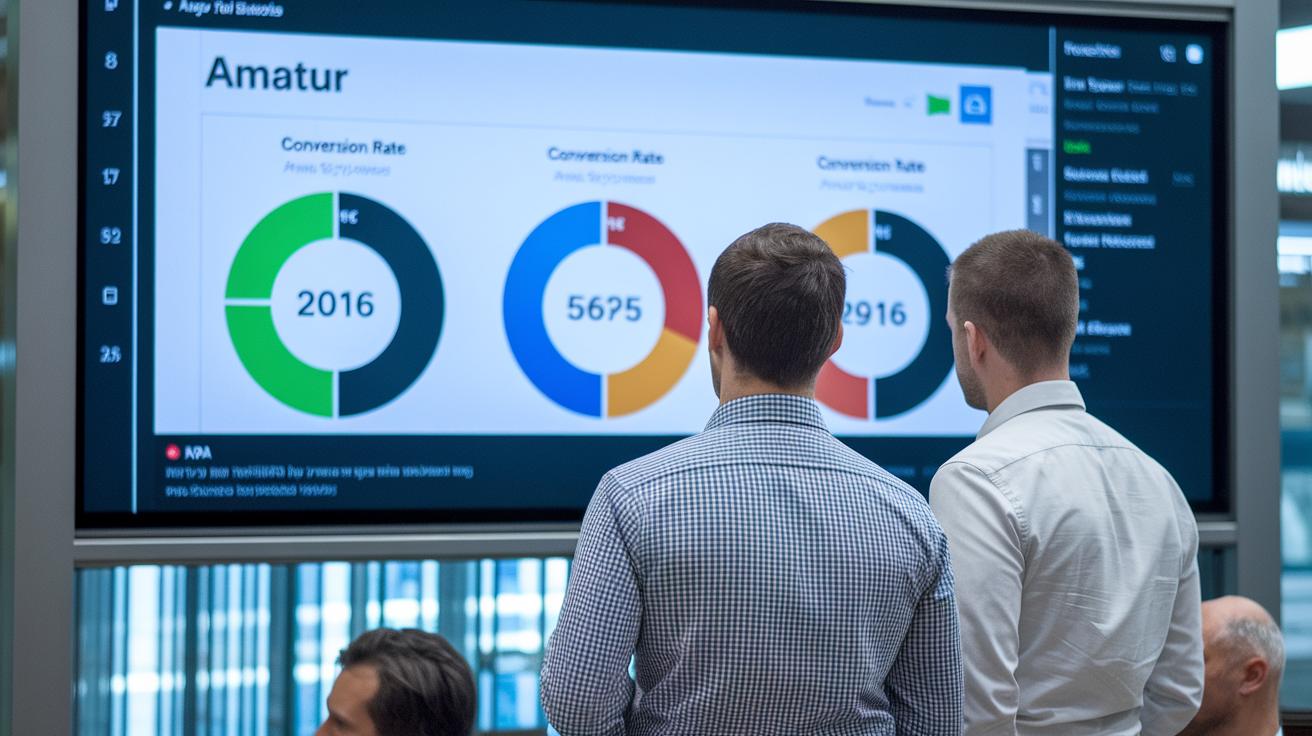
KPIs in these campaigns are like a dashboard that tells you if your ads are really resonating with people. They give you a quick peek into whether your efforts are sparking conversions. By leveraging machine learning (a smart technology that decides when and where your ad shows) across Search, Display, YouTube, and Discover, these campaigns need a solid way to measure success. Start by zeroing in on metrics such as conversion rate and cost per acquisition (CPA, the cost for each conversion) to get a real-time read on your campaign’s impact. It’s a bit like watching a digital meter that lights up when your strategy hits the bullseye and dims when it misses.
The main metrics include conversion rate, CPA, ROAS (return on ad spend, which shows how much revenue you earn for every ad dollar spent), impression share, performance score, and conversion volume. Each number tells you a story: conversion rate shows how many clicks turn into actions; CPA breaks down the cost for each event; ROAS reflects your earnings relative to your spending; impression share indicates the portion of available ad views captured; performance score brings together various data points; and conversion volume counts the total number of actions taken.
| Metric | Definition |
|---|---|
| Conversion Rate | How often clicks lead to a desired action. |
| CPA | Cost per Acquisition, or the average cost for each conversion. |
| ROAS | Return on Ad Spend, meaning the revenue generated per dollar spent. |
| Impression Share | The percent of potential ad views your ads actually received. |
| Performance Score | A combined metric that paints an overall picture of your campaign health. |
| Conversion Volume | The total count of successful conversion actions. |
These indicators help guide your decisions by showing what’s working and what might need a tweak. By regularly checking these stats, you can fine-tune your bidding, update your creative elements, and adjust your targeting to better connect with your audience. In the fast-paced world of digital ads, this kind of insight is gold.
Asset Group Performance Analysis in PMax Campaign Performance Analysis

Image Asset Performance
When you review image assets, check out the click-through rate (CTR, which is the percent of people who click on your image) and view stats to see how well your visuals capture attention. Automated tools keep track of these numbers live, so you instantly know which images are grabbing eyes and driving traffic. A picture that hits a 25% higher CTR usually means it’s making a big impact on your conversion journey.
Headline Effectiveness
Try out different headlines to figure out what works best. A/B testing helps you compare versions, like “Limited Time Deal” against “Exclusive Savings”, while you check metrics such as interaction rates and relevance scores. It’s a straightforward way to see which headline connects better with your audience and steers more cost-effective conversions.
Description Impact
Even slight tweaks in your description can spark a noticeable change in conversion rates. Monitor how different word choices, like “Shop Now” versus “Discover Your Savings,” affect customer actions. The one that consistently earns more clicks gives you key clues to refine your creative assets and drive even better results.
Audience and Search Term Insights in PMax Campaign Performance Analysis

Knowing your audience is the secret sauce to a smart campaign strategy. PMax digs into the details, like age, gender, and what people enjoy, to reveal who’s actually engaging with your ads. Imagine discovering that a large chunk of your viewers are young tech enthusiasts; that’s a clear sign to tweak your messaging. This insight helps you fine-tune both your creative assets and your targeting, ensuring you speak directly to the segments that show the most interest.
Switching gears, tracking search term performance in PMax campaigns is a whole different ball game. The system’s AI scours through a massive amount of data to uncover the most promising paths to conversion. It not only tells you which keywords trigger your ads but also hands you actionable tips. For instance, spotting phrases that drive higher conversion rates can guide you to adjust your bids and creative approaches. Keeping an eye on these nuances means you’ll always be ready to catch trends and pivot quickly, so your ads stay perfectly in tune with what your audience is searching for.
Auction Insights & Competitive Benchmarking for PMax Campaign Performance Analysis

Auction insights give you a quick look at your campaign’s performance versus your competitors. They compare simple numbers like impression share (how often your ad shows) and overlap rate (how much your ads run at the same time as others). So if you notice something off, say a 15% drop in impression share, it could be a sign that competitors are stepping up their bids.
Benchmarking is all about tracking these key numbers over time. Think of it like keeping score on your favorite team. Regular auction reports reveal trends, such as gradual shifts in overlap or impression shares, which help you pinpoint where your campaign is shining and where it might be lagging behind.
With these insights in hand, you can fine-tune your bidding strategies. They guide you to adjust your bids smartly to grab a bigger slice of the auction share. For instance, if a competitor suddenly raises their bids, a quick tweak on your part could boost your conversion rates by around 10%. It’s a practical, real-time way to keep your campaign competitive in a fast-moving marketplace.
Product, Ad Schedule, and Device Performance Analysis in PMax Campaigns

When you dive into product performance, it's like getting a behind-the-scenes look at how each offering contributes to your earnings. You can see exactly which item brings in more revenue. Imagine one product converting 30% better than another, it's a clear sign to pump more budget into that product or refine its messaging. This way, you can adjust your creative and promotional efforts to get a better response from customers.
Next, think about ad schedule analysis as figuring out the best times to boost your campaigns. Picture checking your campaign stats and discovering that ads running between 6 p.m. and 9 p.m. on weekdays deliver a 20% higher return on ad spend (ROAS – essentially, the profit made for every ad dollar spent). It tells you that those hours are the sweet spot, letting you focus your budget during moments when your audience is most active.
Finally, device performance insights spotlight where your ads shine, whether on desktop, mobile, or tablet. Breaking down data by device helps uncover any hiccups like slow load times on mobile or lower engagement on tablets. For example, if mobile users convert at a 40% higher rate than desktop users, it's a strong signal to fine-tune your mobile ad content. This detailed view lets you tackle conversion issues and leverage strengths across different platforms.
Landing Page and Conversion Funnel Analysis for PMax Campaign Performance
When you check out your landing page, it's all about how visitors interact right away. Key things like page load speed, bounce rates (how quickly visitors leave), and on-page engagement give you a real sense of what’s happening. If your page drags on loading, potential leads might bounce instantly! Imagine someone leaving because the page is as slow as a tired slideshow. Knowing this helps you smooth out the first step of your conversion journey.
Conversion funnel reports shine a light on where prospects might be dropping off along the way. By keeping an eye on how ad clicks turn into actions, you can spot which steps aren’t cutting it. Every click is tracked right up to a signup or a purchase, so you see where things slow down. Try tweaking things, like testing whether a “Sign Up Today” button works better than a “Join Now” option. It’s a simple change that might make a big difference.
All these insights let you fine-tune your landing pages and conversion funnels. Every step of your customer’s journey gets a little boost, setting you up for smoother and better results.
Budget Allocation and Automated Bidding Analysis in PMax Campaign Performance Analysis

Ever wondered how PMax campaigns seem to adjust bids all on their own? They use machine learning (basically, computer systems that learn from data) to tune bids in real time, making sure your budget matches your performance goals. Think of it like a smart thermostat that adjusts when the weather changes, every dollar is at work when your audience is most active.
Take a closer look at the bid settings, and you'll see the real magic behind automated bidding. You can choose between options like target CPA (the cost you plan to pay per conversion) or maximize conversions (aiming for the most conversions possible). It’s a bit like testing out two recipes for your favorite meal, a small tweak can be the secret ingredient that boosts performance. Checking these settings regularly helps you find the best way to get more value from your ad spend.
Staying on top of continuous optimization is key to long-term success. Monitoring your performance lets you catch when trends shift so you can adjust quickly. It’s like keeping your guitar in tune; a little fine-tuning goes a long way. By testing new strategies and measuring their results, you can steadily lower your cost per action while ramping up your returns, keeping your campaign both flexible and effective.
Data Visualization & Real-Time Reporting Dashboards for PMax Campaign Performance Analysis

Real-time dashboards are like a campaign’s best friend, pulling together your data and turning it into clear, easy-to-read visuals. They mix key numbers, think conversion volume (the count of how many desired actions happened), spend efficiency (how well your budget is used), and emerging trends, into one instant snapshot.
These smart dashboards use automated tools that update your metrics on the fly, schedule regular exports, and even send you alerts when something doesn’t look right. Imagine seeing a dip in conversions or a sudden change in spend efficiency the moment it happens; that’s the kind of prompt insight you get.
An ideal dashboard should have:
- Conversion Volume Chart: Clearly shows the number of conversions over time.
- Spend Efficiency Metrics: Displays ad spend performance in a simple, visual format.
- Trend Identification Visuals: Highlights new patterns in your data.
- Anomaly Alerts: Sends real-time notifications when unexpected changes occur.
- Customizable Time Frames: Lets you check performance over any period you choose.
This setup gives you a visual overview that makes quick decisions easier, keeping your campaigns nimble and responsive to any market shifts.
pmax campaign performance analysis: Proven Success

Take the AdSkate case study as a clear example of how a PMax campaign can turn into a real powerhouse when smart integrations are in play. In a simple, step-by-step process, marketers brought together creative assets and real-time performance metrics into their workflow, just like syncing your favorite tunes. One retailer even saw a jump in click-through rates after tweaking their ad copy based on fresh AdSkate insights. It’s a strategy that reshapes the whole game plan.
Mixing creative analytics into your PMax campaigns uncovers hidden details that might otherwise go unnoticed. By comparing different images, headlines, and descriptions, you get straightforward data that guides smarter ROI strategies and bidding decisions. Bonus reports help marketers catch trend shifts quick. Even a tiny change in a headline can push conversions up by 15%, proving that when you get precise, your campaign efficiency soars.
Overall, this data-driven approach really speaks volumes. Marketers are encouraged to constantly review creative performance and adjust bidding strategies and targeting in real time. With the insights from AdSkate integration and advanced creative analytics, every campaign element can be fine-tuned to boost cost-efficiency and conversion rates. A few small tweaks today can lead to huge wins tomorrow.
Final Words
in the action, we broke down key metrics and insights that drive effective pmax campaign performance analysis.
We covered everything from evaluating core KPIs to dissecting creative assets and audience nuances.
Each component, from auction insights to budget tweaks and dashboard visuals, showed how data can shape better marketing moves.
This step-by-step recap reminds us that smart, metric-driven tweaks lead to bold decisions and vibrant results.
Keep exploring these strategies to drive progress and spark new ideas.
FAQ
Q: What does a PMax campaign performance analysis PDF or example offer?
A: The PDF or example provides a clear guide on tracking key metrics like conversion rate, CPA, and ROAS. It shows how to apply analysis techniques to optimize your automated campaign results.
Q: What is Performance Max?
A: The term Performance Max refers to a Google Ads campaign that uses machine learning to place ads across channels such as Search, Display, YouTube, and Discover, driving improved reach and conversion data.
Q: How does a Performance Max campaign differ from Search?
A: A Performance Max campaign uses automation and AI to display ads across several channels, while traditional Search focuses mainly on keyword-triggered placements, offering broader reach and more nuanced audience targeting.
Q: What is a Performance Max Google Ads example?
A: A Performance Max Google Ads example typically shows real-time dashboards, creative asset performance, and key campaign metrics that help in adjusting strategies to boost conversion rates and return on ad spend.
Q: How do Performance Max reporting and placements work?
A: Performance Max reporting uses automated dashboards to display key metrics like impression share and conversion volume, while placements reveal exactly where your ads appear across various channels for targeted impact.
Q: What is the structure of a PMax campaign?
A: The PMax campaign structure organizes asset groups, bidding settings, and audience segments. This setup helps automate targeting and measurement, making it easier to optimize your ads for better performance.
Q: How do you analyze campaign performance and channel reports for PMax?
A: Analyzing PMax campaigns involves reviewing KPIs such as conversion rate, CPA, and ROAS via automated dashboards. Channel performance reports provide insights on which channels drive the most conversions, guiding smart optimization decisions.


